As web developers, we spend a significant part of our day inside a code editor. Over the years, I’ve jumped between several popular options, always searching for the perfect balance between speed, features, and usability.
My journey looked something like this:
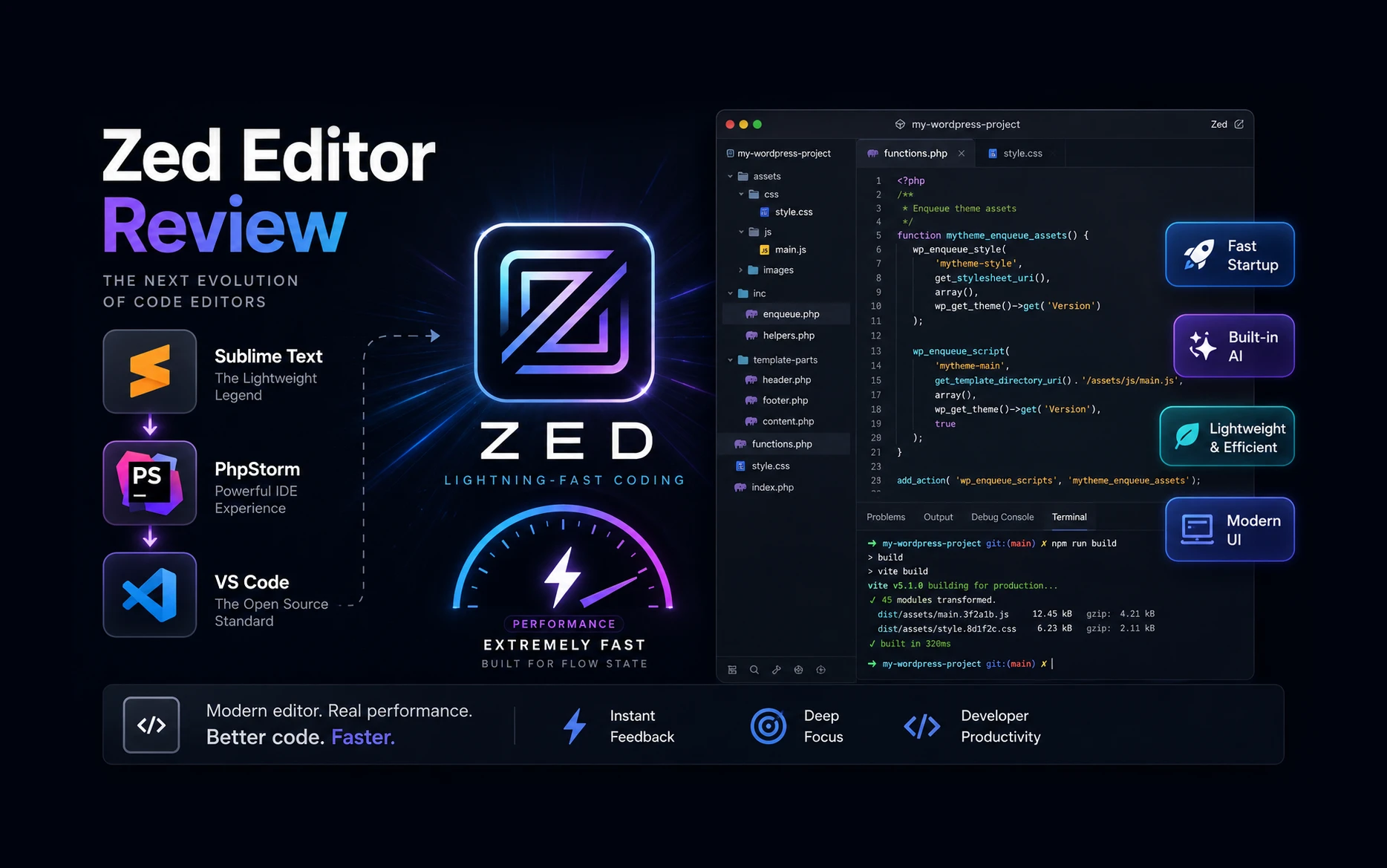
Sublime Text → PhpStorm → VS Code → Zed
Recently, I started using Zed, and I have to admit—it immediately felt different. It combines the speed of lightweight editors with many of the productivity features I’d expect from a professional IDE.
In this article, I’ll share what I like about Zed, where it falls short, and whether it’s worth considering for your development workflow.
My Editor Journey
Sublime Text
For many years, Sublime Text was my editor of choice.
What I loved:
- Extremely fast startup
- Lightweight and responsive
- Clean interface
- Great keyboard shortcuts
What eventually became limiting:
- Plugin ecosystem wasn’t as extensive as modern alternatives
- Lacked deeper IDE features
- Project management felt basic
PhpStorm
https://www.jetbrains.com/phpstorm
Eventually, I moved to PhpStorm.
The experience was completely different.
PhpStorm offered:
- Advanced code intelligence
- Built-in debugging
- Refactoring tools
- Git integration
- Framework support
For WordPress and PHP development, it was fantastic.
The downside?
It felt heavy.
Large projects consumed considerable memory, startup times were longer, and sometimes I found myself waiting for indexing to complete before I could start coding.
VS Code
VS Code struck a nice balance between lightweight editing and IDE-like functionality.
Like many developers, I eventually migrated to VS Code.
Benefits included:
- Huge extension ecosystem
- Excellent Git integration
- Strong community support
- Great WordPress and PHP tooling
For several years, it became my primary editor.
However, after installing dozens of extensions, I noticed it slowly drifting toward the same complexity and resource usage that I originally wanted to avoid.
Discovering Zed
Recently, I decided to give Zed a try.
My first impression?
It feels like someone took the responsiveness of Sublime Text and combined it with many of the productivity features of PhpStorm.
The editor launches almost instantly and feels incredibly responsive even on large projects.
For the first time in a while, opening an editor felt exciting again.
What Makes Zed Different?
Lightning Fast Performance
The biggest advantage is speed.
Everything feels immediate:
- Startup
- File search
- Project indexing
- Command execution
- Git operations
The interface remains smooth even when working with larger projects.
Modern User Interface
Zed has one of the cleanest editor interfaces I’ve used.
The design is modern without being distracting.
Unlike some editors that feel cluttered after adding extensions, Zed maintains a streamlined experience.
Built-In AI Features
One feature that immediately stands out is AI integration.
Rather than relying on third-party plugins, Zed includes AI capabilities directly within the editor.
This creates a more seamless workflow when:
- Generating code
- Explaining functions
- Refactoring code
- Debugging issues
Excellent Collaboration Features
Zed was designed with collaboration in mind.
Developers can work together in real time, similar to collaborative document editing.
While I haven’t fully explored this feature yet, it has significant potential for remote teams.
Multi-Cursor Editing
Multi-cursor editing feels incredibly smooth.
If you’re coming from Sublime Text, you’ll immediately feel at home.
For repetitive edits, it’s one of the fastest workflows available.
Zed for WordPress Development
Most of my work revolves around:
- WordPress
- PHP
- JavaScript
- jQuery
- HTML
- CSS
- SCSS
So far, Zed has handled these technologies well.
Features I use regularly:
- Fast file search
- Git integration
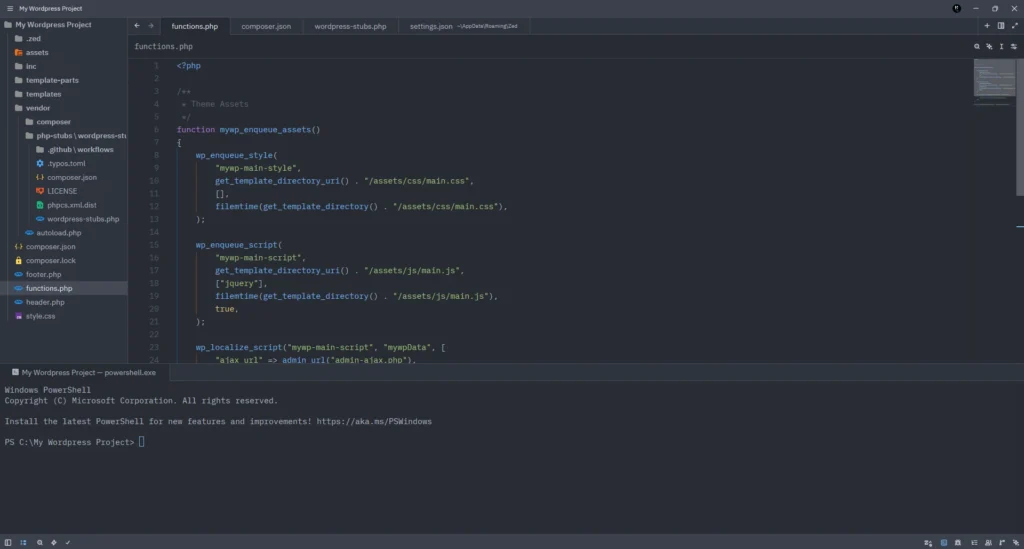
- Terminal access
- Code completion
- Project-wide search and replace
For everyday WordPress development, I haven’t encountered anything that prevented me from working efficiently.
Where Zed Still Falls Short
Despite the positives, Zed isn’t perfect.
Smaller Extension Ecosystem
VS Code has been around much longer.
As a result:
- More extensions
- More themes
- More language support
- More specialized tools
If your workflow depends heavily on niche extensions, you may miss some functionality.
Some Features Still Maturing
Zed is evolving rapidly, but certain advanced IDE features still feel less mature compared to PhpStorm.
Examples include:
- Deep framework awareness
- Advanced refactoring
- Some debugging workflows
Smaller Community
Compared to VS Code and PhpStorm:
- Fewer tutorials
- Fewer plugins
- Fewer Stack Overflow discussions
This isn’t a major issue, but it’s noticeable when searching for solutions.
Performance Comparison
| Editor | Speed | Features | Resource Usage |
|---|---|---|---|
| Sublime Text | Excellent | Basic | Very Low |
| PhpStorm | Good | Excellent | High |
| VS Code | Very Good | Excellent | Medium |
| Zed | Excellent | Very Good | Low |
Should You Try Zed?
If you’re currently using:
Sublime Text
You’ll appreciate the speed while gaining modern IDE features.
VS Code
You’ll likely enjoy the cleaner experience and improved responsiveness.
PhpStorm
You may miss some advanced tooling, but you’ll gain a noticeably lighter workflow.
Final Thoughts
After years of moving between editors, Zed is the first one that has genuinely impressed me in a long time.
It combines many of the things I loved about previous tools:
- The speed of Sublime Text
- Much of the productivity of PhpStorm
- The flexibility of VS Code
Is it ready to replace every editor for every developer?
Probably not.
But for WordPress developers, PHP developers, and frontend developers looking for a fast and modern coding experience, Zed is absolutely worth trying.
For now, it’s become my primary editor, and I don’t see myself switching away anytime soon.