If you have worked with WordPress for some time, you have probably come across URLs containing /wp-json/. You might also have seen REST API settings inside plugins, custom post types, or ACF without really needing to understand what they were doing.
For a long time, I treated the REST API as something mainly needed for headless WordPress websites and external applications.
But that is only a small part of what it can do.
The WordPress REST API gives us a structured way to read, create, update, and delete WordPress data through HTTP requests. That opens up possibilities ranging from a simple JavaScript-powered post loader to a completely separate application using WordPress purely as its backend.
In this article, I want to explain REST API from a practical WordPress developer’s perspective: what it is, what we can use it for, where it makes sense, and where normal WordPress PHP is still the better solution.
What Is an API?
API stands for Application Programming Interface.
In simple terms, an API provides a defined way for one piece of software to communicate with another.
Imagine you have an external application that needs a list of the latest posts from a WordPress website.
Giving that application direct access to the WordPress database would be a terrible approach. It would tightly couple the application to the database structure and introduce serious security problems.
Instead, the application can request:
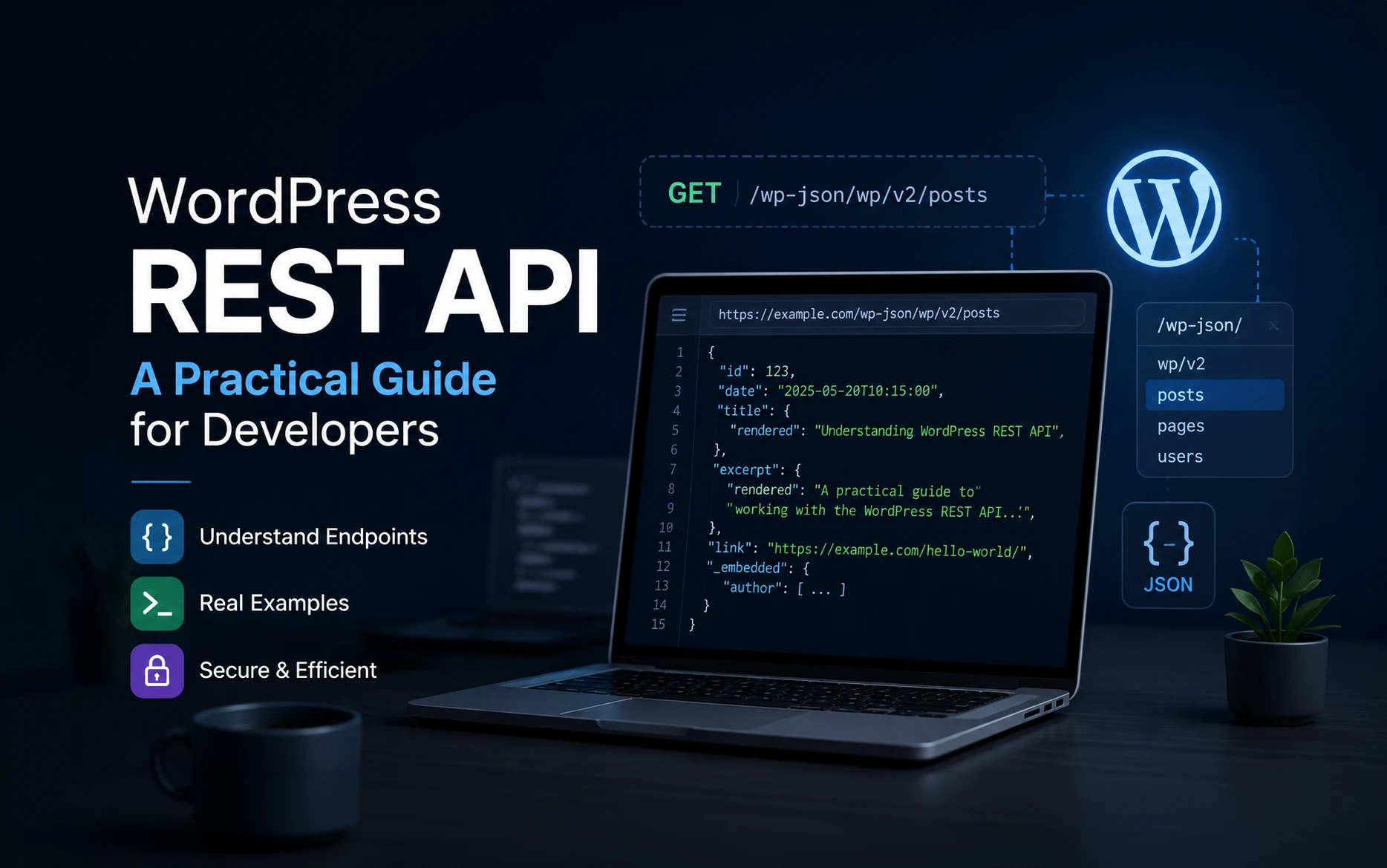
https://example.com/wp-json/wp/v2/posts
WordPress receives the request, processes it, and sends back structured data.
That communication happens through an API.
What Does REST Mean?
REST stands for REpresentational State Transfer.
You do not need to understand every theoretical rule behind REST to use the WordPress REST API effectively.
From a practical development perspective, the important idea is that resources are exposed through predictable URLs called endpoints, and we interact with those resources using standard HTTP methods.
Common methods include:
GET     Read data
POST    Create data
PUT     Replace data
PATCH   Update data
DELETE  Delete data
For example:
GET /wp-json/wp/v2/posts
asks WordPress for posts.
A request to create or modify something will use a different HTTP method and normally require authentication.
What Is an Endpoint?
An endpoint is simply a URL through which an API exposes a particular resource or operation.
For example:
/wp-json/wp/v2/posts
is an endpoint for posts.
Other WordPress endpoints include:
/wp-json/wp/v2/pages
/wp-json/wp/v2/categories
/wp-json/wp/v2/tags
/wp-json/wp/v2/users
/wp-json/wp/v2/media
The WordPress REST API is designed around predictable, resource-oriented URLs and standard HTTP response codes.
Understanding the WordPress REST API URL
Let’s break down this URL:
https://example.com/wp-json/wp/v2/posts
The first part is obvious:
https://example.com
That is your website.
Next comes:
/wp-json/
This is the REST API base.
Then:
/wp/v2/
This is the namespace used by the WordPress core REST API.
Finally:
/posts
This is the route for posts.
If you try the example above using my website, you will notice that:
https://mayagrafix.com/wp-json/wp/v2/posts
returns an empty result. This is because I use a custom post type called blog for my articles instead of the default WordPress post post type.
So, if you want to test the REST API using my website, use:
https://mayagrafix.com/wp-json/wp/v2/blog
instead.
This is a useful real-world example of how REST API routes can differ when a website uses custom post types.
Try the WordPress REST API in Your Browser
One of the easiest ways to understand the REST API is simply to open an endpoint in your browser.
On a standard WordPress installation using regular posts, try:
https://example.com/wp-json/wp/v2/posts
Or, if you want to see a working example using my website, open:
https://mayagrafix.com/wp-json/wp/v2/blog
You should see the published articles returned as JSON data.
If the site’s REST API is publicly accessible, you should see something resembling this:
[
    {
        "id": 125,
        "date": "2026-08-10T10:30:00",
        "slug": "example-post",
        "status": "publish",
        "link": "https://example.com/example-post/",
        "title": {
            "rendered": "Example Post"
        }
    }
]
This format is JSON.
JSON stands for JavaScript Object Notation, and it has become one of the most common formats for transferring structured data between applications.
The official WordPress REST API documentation describes the API as an interface through which applications communicate with WordPress by sending and receiving JSON data.
Requesting a Single Post
If you know a post ID, you can request only that post:
/wp-json/wp/v2/posts/125
Instead of receiving a collection of posts, you receive the resource matching ID 125.
Controlling How Many Posts Are Returned
You can also pass parameters in the URL.
For example:
/wp-json/wp/v2/posts?per_page=5
This asks WordPress for five posts.
You can combine parameters:
/wp-json/wp/v2/posts?per_page=5&order=desc
The REST API becomes much more useful once you realize that you do not always need to request everything and filter it afterwards.
In most cases, I prefer asking WordPress for exactly the data I need.
What Can You Use the WordPress REST API For?
This is where REST becomes interesting.
It is not limited to headless websites.
A normal WordPress website can use REST API functionality without changing its overall architecture.
Some practical uses include:
- Loading posts without refreshing the page
- Creating dynamic filters
- Building search interfaces
- Creating Load More functionality
- Retrieving custom post types
- Working with custom fields
- Submitting data from JavaScript
- Creating or updating WordPress content
- Connecting another website to WordPress
- Building custom administration interfaces
- Creating mobile applications
- Connecting external business systems
- Building headless WordPress websites
The important thing is that another application does not need to understand the internal structure of the WordPress database.
It communicates with WordPress through a defined interface.
Fetching WordPress Posts With JavaScript
Let’s look at a simple practical example.
Suppose we want to retrieve the latest five posts.
Modern browsers already provide the fetch() API, so we do not need jQuery or another JavaScript library for this.
fetch('/wp-json/wp/v2/posts?per_page=5')
    .then(response => {
        if (!response.ok) {
            throw new Error(`HTTP error: ${response.status}`);
        }

        return response.json();
    })
    .then(posts => {
        posts.forEach(post => {
            console.log(post.title.rendered);
        });
    })
    .catch(error => {
        console.error('REST API request failed:', error);
    });
The request goes to:
/wp-json/wp/v2/posts?per_page=5
WordPress returns JSON.
response.json() converts that response into JavaScript objects we can work with.
We then loop through the posts and access:
post.title.rendered
This example only outputs the titles to the browser console, but we can do something much more useful.
Display REST API Posts on the Page
Let’s create a container:
<div id="latest-posts"></div>
Then use JavaScript to populate it:
const postsContainer = document.querySelector('#latest-posts');

fetch('/wp-json/wp/v2/posts?per_page=5')
    .then(response => {
        if (!response.ok) {
            throw new Error(`HTTP error: ${response.status}`);
        }

        return response.json();
    })
    .then(posts => {
        const postList = document.createElement('ul');

        posts.forEach(post => {
            const listItem = document.createElement('li');
            const link = document.createElement('a');

            link.href = post.link;
            link.textContent = post.title.rendered;

            listItem.appendChild(link);
            postList.appendChild(listItem);
        });

        postsContainer.appendChild(postList);
    })
    .catch(error => {
        console.error('REST API request failed:', error);

        postsContainer.textContent = 'Unable to load posts.';
    });
Now the browser requests the latest posts from WordPress and creates the list dynamically.
This basic pattern can be expanded into filters, pagination, live search, related-content components, dashboards, and many other interfaces.
Using REST API With Custom Post Types
REST becomes particularly useful when working with custom post types.
When registering a custom post type, you can expose it through REST using:
'show_in_rest' => true,
For example:
<?php

function register_project_post_type() {
    $args = array(
        'labels' => array(
            'name'          => 'Projects',
            'singular_name' => 'Project',
        ),
        'public'       => true,
        'show_in_rest' => true,
        'supports'     => array(
            'title',
            'editor',
            'thumbnail',
        ),
    );

    register_post_type( 'project', $args );
}

add_action( 'init', 'register_project_post_type' );
WordPress can then expose the post type through its REST API.
This is useful when the frontend needs to retrieve custom content dynamically or when another application needs access to that content.
What About ACF and Custom Fields?
This is another place where WordPress developers frequently encounter REST API settings.
Custom fields can be exposed through the REST API when configured appropriately.
That means a JavaScript application or external system can request a WordPress post and receive not only the standard post information, but also the custom data required by the application.
This becomes particularly useful for structured content.
For example, imagine a project post type containing fields for:
Client
Project URL
Completion Date
Technology
Project Type
An application can retrieve that structured data through an API rather than trying to extract information from rendered HTML.
Creating Your Own REST API Endpoint
The built-in endpoints are useful, but custom endpoints are where REST becomes extremely powerful for custom WordPress development.
Suppose we want:
/wp-json/custom/v1/projects
We can register our own route.
I personally prefer putting reusable functionality like this inside a custom plugin rather than adding it to functions.php.
Create a plugin such as:
custom-rest-api
with:
custom-rest-api.php
Then add:
<?php
/**
 * Plugin Name: Custom REST API
 * Description: Adds custom REST API endpoints.
 * Version: 1.0.0
 */

if ( ! defined( 'ABSPATH' ) ) {
    exit;
}

function register_custom_projects_rest_route() {
    register_rest_route(
        'custom/v1',
        '/projects',
        array(
            'methods'             => 'GET',
            'callback'            => 'get_custom_projects',
            'permission_callback' => '__return_true',
        )
    );
}

add_action( 'rest_api_init', 'register_custom_projects_rest_route' );

function get_custom_projects() {
    $query = new WP_Query(
        array(
            'post_type'      => 'project',
            'post_status'    => 'publish',
            'posts_per_page' => 10,
        )
    );

    $projects = array();

    foreach ( $query->posts as $post ) {
        $projects[] = array(
            'id'    => $post->ID,
            'title' => get_the_title( $post ),
            'url'   => get_permalink( $post ),
        );
    }

    return rest_ensure_response( $projects );
}
After activating the plugin, visit:
https://example.com/wp-json/custom/v1/projects
You now have your own REST API endpoint.
If the REST API URL Returns a 404
If the REST API endpoint does not work using the normal pretty URL:
https://example.com/wp-json/custom/v1/projects
try accessing the same endpoint using WordPress’s rest_route query parameter:
https://example.com/?rest_route=/custom/v1/projects
If the rest_route version works but the /wp-json/ version does not, your REST API itself is working. The problem is most likely related to URL rewriting or permalink configuration rather than the endpoint.
I encountered this while testing the examples for this article on a local Laragon installation. The REST API worked correctly using ?rest_route=, while the pretty /wp-json/ URL did not.
In that situation, check your WordPress permalink settings, .htaccess rules, and your local Apache mod_rewrite configuration.
This alternative is also useful for quickly determining whether you have a REST API problem or simply a rewrite problem.
Why Create a Custom Endpoint?
At first glance, you might wonder why we need this when WordPress already provides endpoints for custom post types.
The advantage is control.
Perhaps the frontend only needs:
ID
Title
URL
Thumbnail
Project Type
Instead of returning everything available for the post, your endpoint can return exactly that structure.
You can also combine information from several WordPress sources into one response.
This has become my preferred approach when an application needs a very specific dataset rather than a generic WordPress post object.
Understanding permission_callback
You probably noticed this in the previous example:
'permission_callback' => '__return_true',
This means anyone can access the endpoint.
That is fine because our example returns publicly available project information.
It would not be appropriate for sensitive information.
For a protected endpoint, we can check the current user’s capabilities.
For example:
'permission_callback' => function () {
    return current_user_can( 'edit_posts' );
},
Now WordPress checks whether the requesting user has permission to edit posts.
Security should be part of the REST API design from the beginning rather than something added afterwards.
Public REST Endpoints Are Not Automatically a Security Problem
I sometimes see developers trying to disable the WordPress REST API completely because URLs such as this are publicly accessible:
/wp-json/wp/v2/posts
But public content is already public.
Someone can visit the website and read a published article without authentication.
Returning public post information in JSON does not automatically expose sensitive information.
The important question is:
What information does the endpoint expose, and what operations does it allow?
Endpoints that expose private information or modify data need proper authentication, capability checks, validation, and permissions.
Authentication and the REST API
Reading published content often requires no authentication.
Creating, editing, or deleting content is different.
The WordPress REST API supports authenticated requests so WordPress can identify the user or application making the request. The official REST API documentation specifically covers authentication for requests that create, update, and delete WordPress data.
For logged-in WordPress users, REST requests frequently use cookie authentication together with a REST nonce.
You will often see:
'X-WP-Nonce'
sent with a request.
External applications can use other authentication approaches, including WordPress Application Passwords where appropriate.
Whatever method you use, authentication and authorization are different concepts.
Authentication answers:
Who are you?
Authorization answers:
Are you allowed to do this?
Both matter.
Never Rely on a Hidden Endpoint for Security
This is worth emphasizing.
A URL being difficult to guess does not make it secure.
For example:
/wp-json/company/v1/internal-data-92837
is not protected simply because the endpoint name looks obscure.
If information needs protection, protect it using proper permissions and authentication.
Validate and Sanitize REST API Input
Security becomes even more important when your REST endpoint accepts information from users.
Never assume data arriving through an API request is safe.
The same WordPress development principles still apply:
- Validate expected values
- Sanitize input
- Escape output where appropriate
- Check capabilities
- Restrict access to protected operations
REST does not bypass normal WordPress security practices.
REST API vs admin-ajax.php
Before the REST API became part of modern WordPress development, AJAX functionality was commonly handled through:
/wp-admin/admin-ajax.php
It is still widely used.
You register actions such as:
add_action( 'wp_ajax_my_action', 'my_callback' );
add_action( 'wp_ajax_nopriv_my_action', 'my_callback' );
JavaScript sends a request to admin-ajax.php, WordPress runs the callback, and the callback returns a response.
There is nothing inherently wrong with this approach.
In fact, there are plenty of situations where admin-ajax.php is perfectly adequate.
But for functionality that behaves like an API, I generally prefer REST.
REST gives us resource-oriented URLs such as:
/wp-json/custom/v1/projects
instead of sending everything through:
/wp-admin/admin-ajax.php?action=get_projects
It also uses standard HTTP methods and response codes, which makes the interface easier to understand when multiple applications need to consume it.
Interestingly, when the REST API was originally proposed for WordPress core, one stated goal was to replace many — though explicitly not all — uses of admin-ajax.php.
That distinction is still useful today.
REST does not mean every AJAX request on every WordPress website needs to be rewritten.
Advantages of the WordPress REST API
Now that we have seen how it works, the advantages become easier to understand.
Frontend and Backend Can Be Separated
Traditionally, WordPress retrieves data with PHP and generates HTML on the server.
REST allows WordPress to provide the data while something else handles the interface.
That “something else” could be JavaScript on the same website, a completely separate frontend, a mobile app, or another application.
You Can Load Data Without Reloading the Page
JavaScript can request data when it is needed.
For example, a visitor could select:
Category: WordPress
and JavaScript could request matching posts without refreshing the entire page.
This creates much more flexible user interfaces.
JSON Is Easy to Consume
JSON is supported across practically every modern development environment.
The application consuming your WordPress API does not need to be written in PHP.
It could use:
JavaScript
Python
PHP
Java
C#
Swift
Kotlin
or another language capable of making HTTP requests and processing JSON.
External Applications Do Not Need Database Access
This is one of the biggest architectural advantages.
Instead of giving another system direct MySQL access, you expose a controlled interface.
The application only sees what you intentionally expose.
One Endpoint Can Serve Multiple Applications
Imagine that your WordPress website exposes:
/wp-json/company/v1/products
That endpoint could potentially serve:
- Your website
- A mobile application
- An internal dashboard
- Another website
- An integration service
The data source stays centralized.
WordPress Can Become an Application Backend
WordPress does not have to generate the frontend.
It can manage:
Content
Users
Media
Taxonomies
Custom post types
Custom fields
Permissions
while another application consumes that information.
That is the basic idea behind headless WordPress.
The official WordPress documentation describes the REST API as an interface that can enable themes, plugins, and custom applications to build interfaces for managing and publishing WordPress content.
Better Control Over Data
A custom REST endpoint lets you decide exactly what information another application receives.
You can transform data before returning it, combine multiple sources, restrict access, and create an API structure specifically designed for the application consuming it.
Is WordPress Phasing Out the REST API?
I have seen some confusion around this, especially as WordPress introduces newer developer technologies.
The short answer is:
No. There is no indication in current official WordPress documentation that the REST API is being phased out.
In fact, the evidence points in the opposite direction.
The official WordPress REST API Handbook still describes REST as part of the platform’s core application infrastructure and specifically states that it forms the foundation of the WordPress Block Editor.
WordPress also continues to extend REST functionality. For example, WordPress 6.8 introduced a REST API filter allowing menu data, menu items, and menu locations to be exposed publicly when developers choose to enable it.
So where does the idea that REST is disappearing come from?
New WordPress APIs Can Make REST Less Visible
WordPress development has changed considerably.
Today we also have technologies such as:
Interactivity API
@wordpress/data
DataViews
DataForm
WordPress JavaScript packages
If you follow WordPress development news, you will see increasing attention given to these technologies.
It is easy to interpret that as WordPress replacing REST.
But these APIs often solve different problems.
For example, the Interactivity API was introduced in WordPress 6.5 as a standardized way to add interactive behavior to frontend blocks.
That is not the same job as providing an HTTP API through which applications exchange WordPress data.
Similarly, DataViews provides UI components for displaying and interacting with datasets. Official WordPress examples of DataViews have themselves demonstrated actions that interact with WordPress through the REST API.
That distinction is important.
An Abstraction Is Not the Same as a Replacement
Modern frameworks often provide higher-level abstractions.
Instead of manually writing:
fetch('/wp-json/wp/v2/posts')
a developer could use another WordPress package that retrieves the data internally.
REST becomes less visible to the developer.
But that does not necessarily mean REST disappeared.
It means another layer is handling part of the communication.
I think this is one reason developers occasionally get the impression that the REST API is becoming obsolete.
WordPress Is Adding Different APIs for Different Jobs
The Interactivity API focuses on frontend interactivity.
@wordpress/data provides application-state management for WordPress JavaScript applications.
DataViews focuses on interfaces for displaying and manipulating datasets.
The REST API provides an HTTP interface for accessing and manipulating WordPress data.
These technologies can work together rather than competing with one another.
Is the WordPress REST API Still Worth Learning?
Absolutely.
Even if you eventually use higher-level WordPress APIs that hide some REST requests from you, understanding REST makes those systems easier to understand and debug.
At minimum, a WordPress developer should understand:
Endpoints
HTTP methods
Requests
Responses
JSON
Authentication
Authorization
HTTP status codes
These concepts are not specific to WordPress either.
They transfer directly to APIs used by payment gateways, CRMs, email platforms, analytics services, cloud platforms, and thousands of other systems.
Once you understand REST properly inside WordPress, integrating external APIs becomes much easier to reason about.
When I Would Use the REST API
REST is extremely useful, but I would not use it simply because it is available.
I would strongly consider REST when:
- JavaScript needs WordPress data dynamically
- Another application needs WordPress data
- A mobile application needs WordPress content
- I am building a custom dashboard
- The frontend and backend need to be separated
- Several applications need the same data source
- I need a clearly structured interface for an integration
- WordPress is acting as the backend for another application
In those situations, REST provides a clean architecture.
When I Would Not Use the REST API
Suppose I am building a normal WordPress template and need the latest six posts.
I can simply write:
$query = new WP_Query(
    array(
        'post_type'      => 'post',
        'posts_per_page' => 6,
    )
);
If PHP is already rendering the page, creating a REST request just to retrieve those same posts adds unnecessary complexity.
There is no benefit in replacing every WP_Query with REST.
Use the REST API because the architecture benefits from an API, not because REST sounds more modern.
That distinction saves a lot of unnecessary development work.
Common WordPress REST API Mistakes
One common mistake is requesting far more information than the frontend needs.
If your interface only requires five fields, consider whether your API really needs to return dozens.
Another mistake is treating public REST endpoints as a security vulnerability simply because they can be opened in a browser.
The important issue is what the endpoint exposes and what actions it permits.
The more serious mistake is the opposite: exposing sensitive data through a custom endpoint without a proper permission_callback.
I would also avoid using REST where a straightforward PHP solution would be simpler. More architecture does not automatically mean better architecture.
How I Think About REST API in WordPress Projects
I find it useful to ask one question:
Does something outside this PHP request need structured access to WordPress data?
If the answer is yes, REST becomes worth considering.
That “something” could be JavaScript running in the visitor’s browser, another website, an internal application, a mobile app, or an external service.
If everything happens during normal server-side WordPress rendering, regular WordPress PHP is often simpler.
Thinking about REST this way removes a lot of the complexity surrounding it.
Final Thoughts
The WordPress REST API sounds more complicated than it actually is.
At its core, it gives us a predictable way to ask WordPress for data or tell WordPress to perform an operation.
You can start by opening:
/wp-json/wp/v2/posts
in your browser.
Then try retrieving that endpoint with JavaScript.
After that, build a small custom endpoint.
Once you have done those three things, REST stops feeling like an abstract concept and starts becoming another practical WordPress development tool.
And despite the newer APIs and JavaScript abstractions appearing across WordPress, REST is not disappearing. Current WordPress documentation and ongoing core development continue to show it as an important part of the platform.
The more useful question is not whether REST is modern or old.
It is whether REST is the right architecture for the problem you are solving.
FAQs
The WordPress REST API is an HTTP-based interface that lets applications read and manipulate WordPress data using structured JSON requests and responses. WordPress provides built-in REST endpoints and also lets developers register custom endpoints.
/wp-json/ is the base path used by the WordPress REST API. Visiting it returns information about available API namespaces and routes on a WordPress installation.
Yes. JavaScript can access REST endpoints using the browser’s fetch() API or other HTTP libraries. This is useful for dynamically loading WordPress data without performing a full page refresh.
Publicly available information such as published posts can often be retrieved without authentication. Operations involving private information or creating, editing, and deleting content generally require authentication and appropriate permissions.
The REST API can be used securely when endpoints are designed correctly. Protected operations should include authentication, capability checks, proper permission_callback logic, validation, and sanitization.
Generally, disabling the entire REST API is not a good default approach. WordPress itself uses REST functionality, and the REST API is part of the platform’s application infrastructure. Instead, protect or restrict specific functionality when there is a genuine security requirement.
There is no indication in current official WordPress documentation that REST is being replaced. WordPress continues to document and extend the REST API while developing additional technologies such as the Interactivity API and DataViews for different purposes.
The REST API provides an HTTP interface for accessing and manipulating WordPress data. The Interactivity API provides a standardized way to add interactive frontend behavior to WordPress blocks. They solve different problems and can be used together.
Neither is automatically better for every situation. admin-ajax.php remains useful for traditional WordPress AJAX functionality. REST provides a more structured, resource-oriented interface and is particularly useful when multiple applications or clients need to interact with WordPress.
Not necessarily. Normal PHP queries remain perfectly appropriate when WordPress is rendering the page on the server. REST becomes particularly valuable when JavaScript or another application needs structured access to WordPress data.
Yes. WordPress provides register_rest_route() for registering custom API routes. Custom endpoints are useful when an application needs a specific data structure or custom operation.
Yes. Custom post types can be exposed through REST by configuring them with show_in_rest enabled.
Useful Resources
If you want to explore the related concepts further, these articles and official references are useful next steps:
- How to Create Your First WordPress Plugin — useful if you want to move custom REST endpoints into a reusable plugin instead of putting API code inside your theme.
- Creating Custom Fields for Custom Post Types with ACF — a useful companion when you want to expose structured custom content through the REST API.
- How to Use Chrome Developer Tools to Troubleshoot Website Problems — the Network panel is particularly useful for inspecting REST requests, responses, headers, and HTTP errors.
- WordPress REST API Handbook — the official WordPress documentation covering the REST API, endpoints, authentication, extending the API, and core concepts.
- WordPress REST API Key Concepts — the official explanation of routes, endpoints, requests, responses, schemas, and controllers.
- WordPress REST API Reference — the official reference for the REST resources available in WordPress core.
- WordPress Interactivity API Reference — useful for understanding how WordPress’s newer frontend interactivity system differs from the REST API.